Alexa Routines: Automating Your Morning and Evening for a Smarter Day
Introduction
Imagine starting your day with your favorite music, lights gently turning on, and a quick weather update—all triggered by a single command or even automatically at your desired time. With Alexa Routines, this vision is not just possible but easy to implement. Alexa Routines are a cornerstone of smart home automation, helping users streamline daily tasks, boost productivity, and enjoy a personalized environment. In this guide, we’ll explore how to set up and optimize Alexa Routines for your morning and evening automation, offering actionable tips and creative ideas for 2025 and beyond.
What Are Alexa Routines?
Alexa Routines are custom sequences of actions triggered by a single command, schedule, device event, or location. They enable you to automate your smart home by combining multiple actions—like adjusting lights, playing music, checking the weather, or sending notifications—into one seamless flow. This not only saves you time but also creates a more comfortable and efficient living space.
Key benefits of Alexa Routines:
- Automate repetitive tasks
- Enhance energy efficiency
- Improve home security
- Personalize your environment
- Integrate various smart devices
How to Set Up Alexa Routines: Step-by-Step Guide
Setting up Alexa Routines is straightforward and accessible to anyone with an Alexa-enabled device and the Amazon Alexa app. Follow these steps to create your own routine:
- Open the Alexa app on your iOS or Android device.
- Select More from the bottom menu, then tap Routines.[1][2][7]
- Tap the Plus (+) icon in the top right corner to create a new routine.
- Name your routine—for example, “Good Morning” or “Evening Wind Down.”
- Choose a trigger under “When this happens”:
- Voice command (e.g., “Alexa, start my morning”)
- Scheduled time
- Smart device event (motion detected, alarm dismissed)
- Location-based trigger
- Add actions by tapping “Add action”. You can string together multiple actions, such as:
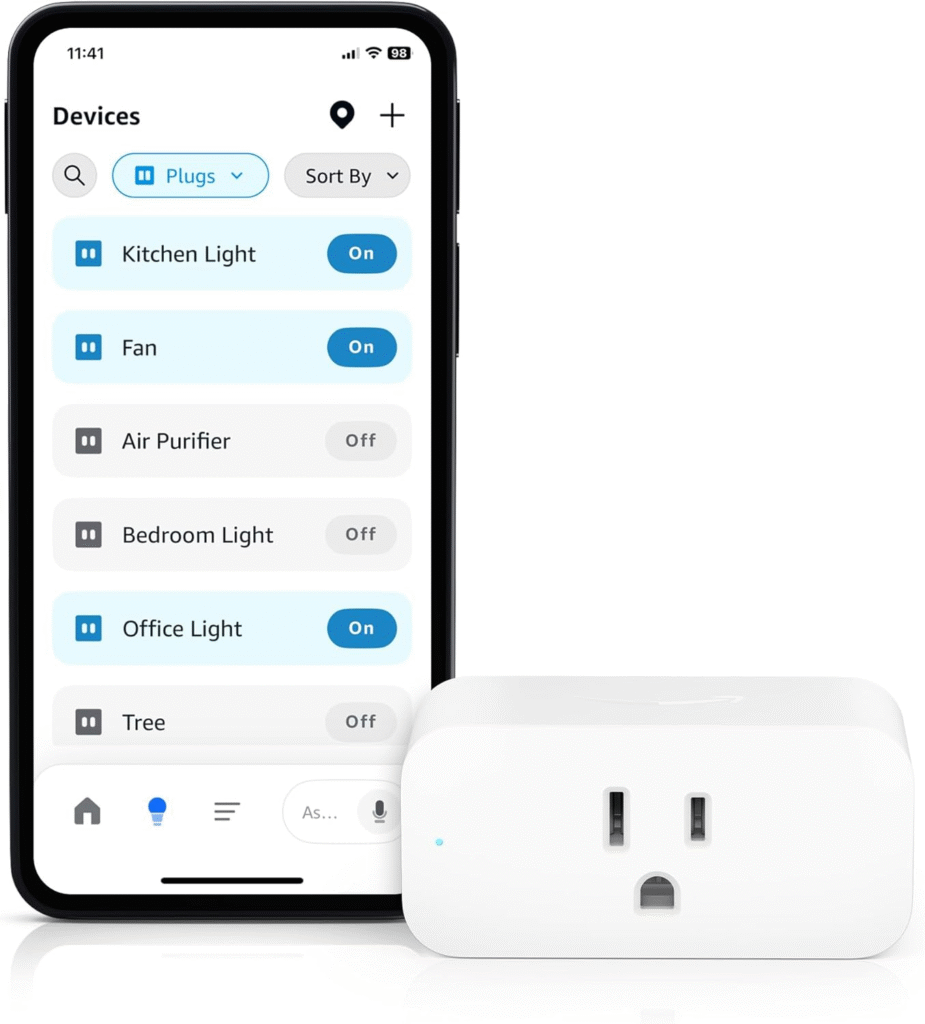
- Controlling smart home devices (lights, thermostat, blinds)
- Getting information (weather, calendar, news)
- Playing audio (music, radio, podcasts)
- Sending notifications
- Specify which Alexa device should execute the routine.
- Review your routine and tap Save.[1][2][3][7]
Top Morning Alexa Routines to Energize Your Day
Kick-start your mornings by automating tasks that set a positive tone for the day. Here are some of the best morning routine ideas:
- Wake-Up Lights: Gradually brighten bedroom lights to simulate sunrise and ease you into wakefulness.[2][5]
- Weather & News Briefing: Alexa reads the weather, traffic updates, and latest news headlines as you wake up.[1][5][6]
- Calendar Check: Get a rundown of your schedule so you’re prepared for the day ahead.[2][5]
- Morning Playlist: Automatically play energizing music or your local NPR radio station.[5]
- Voice Command Start: Trigger your routine with “Alexa, good morning” for a personalized greeting and daily trivia.[1]
Sample Morning Routine
- Trigger: Dismiss alarm
- Actions:
- Turn on lights
- Read weather forecast
- Announce calendar events
- Play morning playlist
- Remind you to hydrate
Top Evening Alexa Routines for a Relaxing Night
Evening routines help you wind down, prepare for sleep, and secure your home. Consider these popular evening automation ideas:
- Sunset Lights: Automatically turn on indoor and outdoor lights as the sun goes down.[5]
- Time for Bed: Trigger Alexa to turn on a night light, play white noise or sleep sounds, and lower the thermostat.[5][2]
- Home Security: Ensure doors are locked, cameras are activated, and receive alerts for detected motion.[2]
- Evening Calm: Start a guided meditation or play relaxing music at scheduled times.
- Appliance Monitoring: Get notifications if appliances beep or need attention before bed.[5]
Sample Evening Routine
- Trigger: Scheduled time (e.g., 10:00 PM)
- Actions:
- Dim bedroom lights
- Play sleep sounds or meditation
- Lock doors and arm security system
- Adjust thermostat for night comfort
- Send a reminder to put away electronics
Best Practices for Alexa Routines in 2025
- Use Descriptive Names: Clear routine names make management easier, especially as you add more routines.[2]
- Group Actions Logically: Combine related actions into single routines to avoid clutter and confusion.
- Leverage Smart Device Integration: Connect compatible devices for enhanced automation (lights, thermostats, locks, cameras).[2][12]
- Utilize Multiple Triggers: Voice, time, device events, and location are all viable triggers for different routines.[3][12]
- Regularly Review and Update: As your schedule or devices change, revisit your routines to keep them relevant.
- Experiment with Advanced Actions: Try multi-step routines that integrate health reminders, security, and entertainment.
Popular Alexa Routine Ideas for Inspiration
- Workout and Health Routine: Start an exercise playlist, set timers, and send hydration reminders.[2][5]
- Home Monitoring: Automate security systems, receive alerts, and manage devices based on occupancy.[2][5]
- Pet Care: Calm pets with soothing music or monitor barking and movement.[5]
- Family Coordination: Send reminders or announcements to all devices for family events or dinner time.
- Energy Saving: Automatically turn off appliances and lights when you leave or at night.
Conclusion
Alexa Routines are transforming the way we interact with our homes, making daily life more convenient, efficient, and enjoyable. By leveraging automation for your morning and evening routines, you can reclaim time, boost productivity, and create a personalized smart home experience. Start with simple routines and expand as you discover new possibilities—your ideal automated lifestyle is just a few taps away.